When their design says 46 kW, your machine shows up.
Suppliers publish complete systems: real graphs of real machines, under their brand. The moment an engineer's solved duty falls inside your capacity range, your system appears under their results with a one-click quote request.
Publish your first system Published systemsDuty-matched placement
No browsing needed: your preset surfaces exactly when a consultant computes a load your range covers. The lead arrives pre-qualified, with their actual numbers.
Branded gallery
Your logo, blurb and capacity envelope in the builder's supplier gallery. One click loads your system into their 3D workspace, ready to solve against their climate.
Public spec pages
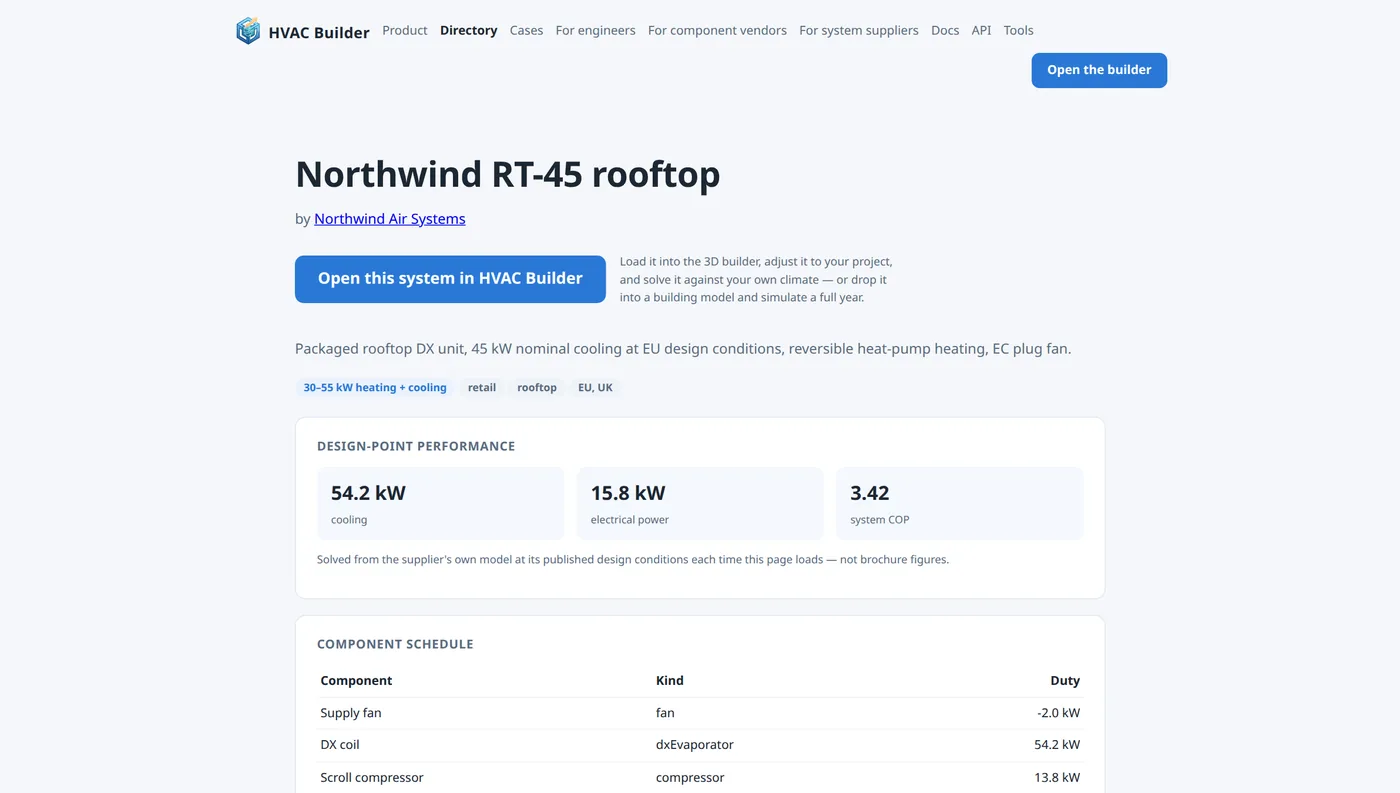
Every published system gets a shareable page: logo, description, and design-point performance solved live from the actual model, not brochure numbers. Link it from your own site; it deep-links back into the builder.
What "live-solved" means
Your spec page doesn't quote static figures. Each visit, HVAC Builder solves your system's thermodynamic model at its design conditions and prints cooling, power, water use and COP from the physics. When an engineer loads it and re-solves against Tokyo's or Madrid's real weather, the numbers hold up, because they come from the same solver.
How to start
Compose, don't only publish
An offering need not be one machine drawn from scratch. Any system you have saved or published, and any of the platform's worked examples, can be placed into a design as a single block, its open ports wired like a component's: your chiller feeding your own handler, a plant of three units, a rooftop with a recovery unit ahead of it. Publishing flattens the composition into one graph under your brand. Another supplier's offering may be nested only where that supplier has ticked allow reuse on it; tick it on yours if you want to be a building block in other people's systems.
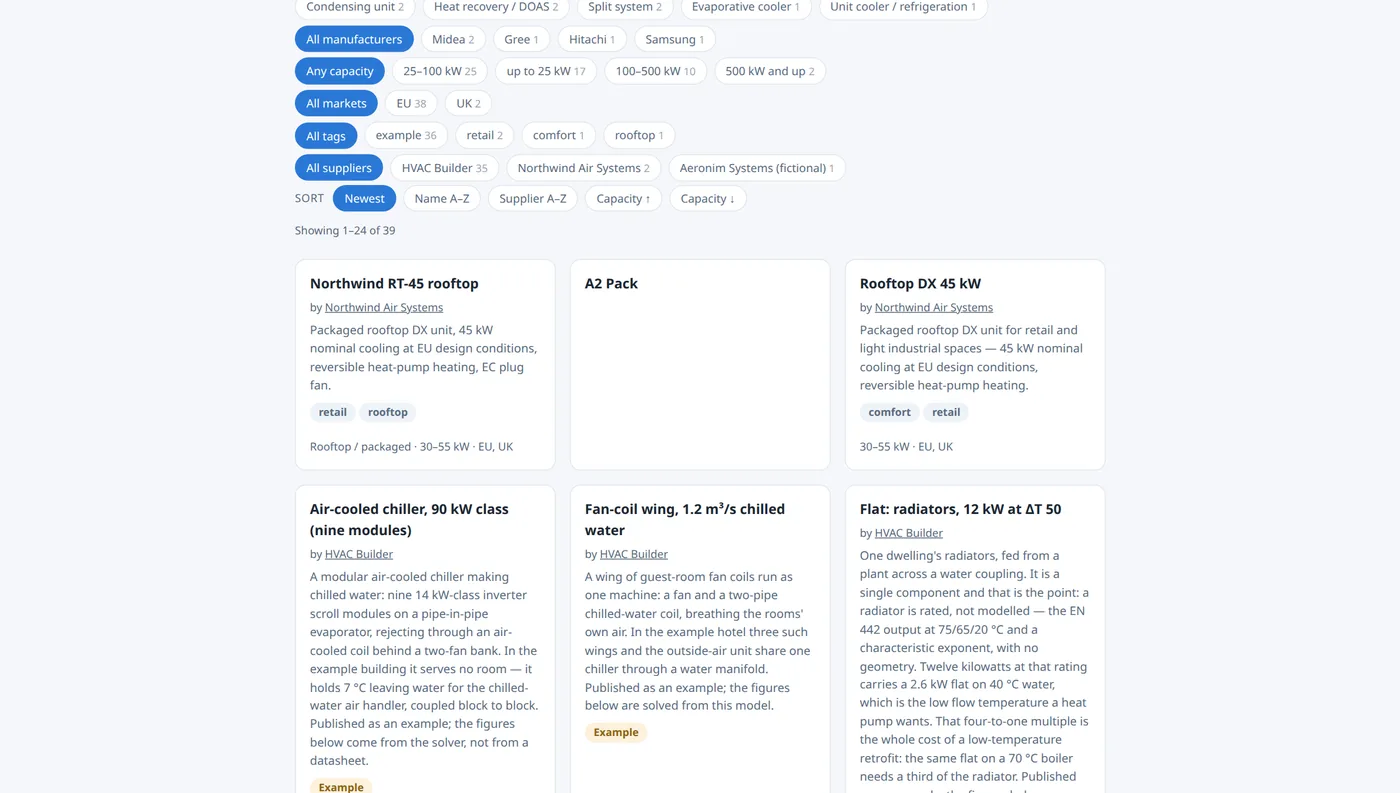
Every offering carries a category: rooftop, split, air handler, chiller, condensing unit, fan coil, evaporative, recovery, plant, unit cooler, or a label of your own, the same vocabulary engineers filter by in the builder and in the public directory. Your company profile declares the system types you build as well, and that is a facet on /companies.
Get quoted without a catalogue
Publishing systems is one way in. The other is your capability profile: the component kinds you build, the capacity range you cover, the refrigerants you work in, your certifications, lead time and the markets you serve. Declare those in the portal's Company tab and you are matchable immediately: an engineer who solves a system you could build sees you in their quote list whether or not you have published a single listing. An MCP agent can maintain it for you: my_vendor_profile reads it, update_vendor_capabilities replaces it, my_leads lists what arrived; see the MCP reference.
Matching is on the numbers, not on placement: kinds you cover, regions that overlap, duty inside your envelope, refrigerants where both sides declare them. Paying does not buy position; it buys volume and speed. Free suppliers are matched and routed like anyone else, with leads in the portal straight away and the email following a day later; the paid tier gets the mail instantly and lifts the listing and lead caps. You can also opt out of matched requests entirely and take only the quotes that come from your own published pages.
Where your page lives
Published systems and components are listed in the public directories, crawlable, linked from the landing page, and grouped per supplier on your own company page at hvacbuilder.app/c/your-company. That page carries your logo, your description, the capability line, and every machine and component you publish; any visitor can request a quote from it without an account. Suppliers have a directory of their own at /companies, faceted by what you build, the markets you serve and the certifications you hold.
Outbound links to your own site carry rel="nofollow" until the vendor tier is paid.
Be the answer when the duty matches.
Publish the machine once; it surfaces under every solve it fits, with the buyer's numbers attached.
Publish your first system